Where to Sell Ebooks in 2026: 8 Platforms Compared
Where to sell ebooks in 2026: 8 platforms compared on fees, buyers and payouts, from Amazon KDP and Etsy to direct checkout tools. See what a $9.99 sale leaves you.
 Jacob PegsFounder of Swipefast
Summary of the Article
There are two routes to selling an ebook: putting it in a store where readers already shop (Amazon KDP, Apple Books, Kobo, Etsy), or selling it direct from your own checkout (Swipefast, Gumroad, Payhip, Lemon Squeezy, Sellfy). Stores bring readers but take a cut and set rules; direct selling keeps the margin but means you bring the buyers.
On a $9.99 sale, here is roughly what each leaves (platform fee plus card processing, before taxes):
- Swipefast: checkout software from $29/month with 0% of each sale; you pay only Stripe, PayPal, or Lemon Squeezy processing, so about $9.40 per sale.
- Amazon KDP: 70% royalty option leaves about $6.89 after delivery costs; huge reader reach, but price rules and optional exclusivity.
- Apple Books and Kobo: 70% royalties, no delivery fee, non-exclusive; you still bring most readers.
- Gumroad: 10% + $0.50 plus card fees, about $7.90; no monthly fee, sales tax handled as merchant of record.
- Payhip: free plan keeps about $8.90; sales tax handled, features identical on all plans.
- Lemon Squeezy: 5% + $0.50 all-inclusive, about $9.00; merchant of record, no monthly fee.
- Etsy: about $8.59 including the $0.20 listing fee; works for printable-style PDFs with built-in search traffic.
- Sellfy: $29/month with 0% transaction fees; an all-in-one storefront, you bring the buyers.
The short version: if you have an audience or run ads, a direct checkout keeps more of every sale. If you don't, a store like KDP finds readers you couldn't. Many creators do both.
The decision you're actually making
When people ask where to sell ebooks, they usually compare fees. Fees matter, but the bigger question is this: who brings the reader?
- A store (Amazon KDP, Apple Books, Kobo, Etsy) has built-in shoppers searching for their next read. You get discoverability you could never buy on your own, in exchange for royalties, rules, and no buyer relationship.
- A direct checkout (Swipefast, Gumroad, Payhip, Lemon Squeezy, Sellfy) has no shoppers. You bring readers from your newsletter, social posts, podcast, or ads, in exchange for a much better margin and the buyer's email address.
The wrong platform for your situation is expensive no matter how low its fees look. A store with zero traffic sent your way sits idle. A direct checkout with an empty audience does too.
The comparison at a glance
Figures below are the platforms' published fees as shown on their own pricing pages, linked in each section. "On a $9.99 sale" is approximate and combines the platform fee with typical card processing, before sales tax.
| Option | Who brings the buyer | Fee structure | What a $9.99 sale leaves (approx.) | Delivery | Payout |
|---|---|---|---|---|---|
| Swipefast | You | $29/month, 0% of sales + your own processor | About $9.40 | Instant download on your domain | Via your own Stripe, PayPal, or Lemon Squeezy |
| Amazon KDP | Amazon shoppers | 70% or 35% royalty, minus delivery costs | About $6.89 on the 70% option | Kindle format via KDP | ~60 days after month end |
| Apple Books and Kobo | Mostly you, some store browsing | 70% royalty, no delivery fee | About $6.99 | EPUB via their platforms | Monthly, per each platform's schedule |
| Gumroad | Mostly you; Discover can help | 10% + $0.50 direct, 30% via Discover, + card fees | About $7.90 | Instant download | Via Gumroad or your connected Stripe/PayPal |
| Payhip | You | Free 5%, $29/mo 2%, $99/mo 0%, + processor | About $8.90 free | Instant download | Your own Stripe/PayPal |
| Lemon Squeezy | You | 5% + $0.50 all-inclusive | About $9.00 | Instant download | Payout to bank or PayPal |
| Etsy | Etsy shoppers | $0.20 listing + 6.5% + 3% + $0.25 | About $8.59 | Instant digital download | Etsy Payments deposit schedule |
| Sellfy | You | From $29/month, 0% transaction fees, + processor | About $9.40 | Instant download | Your own Stripe/PayPal |
You can plug your own price and volume into the checkout fee calculator to see what each route costs you per month.
Swipefast: the checkout-first option
Swipefast is checkout software for sellers of digital products: coaches, creators, course sellers, and ebook authors who sell direct. It takes a different fee shape than everything else in this list: instead of a percentage of each sale, you pay a flat monthly plan and keep all of it.
- Plans start with Starter at $29 a month, and there's 0% of each sale on any plan.
- You publish a branded checkout on your own domain, which matters when your buyers are judging whether a $29 course or a paid ebook looks trustworthy.
- Order bumps, one-click upsells, downsells, and reports are included on every plan, including Starter.
- Payment plans and subscriptions let you sell a bigger bundle or a membership alongside the ebook.
- Delivery is instant: the buyer gets their access link right after paying. Here's how delivering your product after a sale works in practice.
- Payments land in your own Stripe, PayPal, or Lemon Squeezy account, so money is never held by a middleman.
The honest tradeoff: Swipefast (or any direct tool) has no store traffic. If you don't yet have an audience or a paid traffic plan, a flat monthly fee buys you nothing until readers arrive. It also won't put your book next to rival titles the way KDP does. If your ebook is the start of a wider offer set (a course, a coaching call, a workbook bundle) and you can bring even a modest flow of visitors, the math favors it quickly: at $9.99 you keep roughly $9.40 per sale instead of $7.90 on Gumroad, and upsells can raise the value of each buyer.
If you go this route, spend an hour on the checkout page checklist for digital products before launch. And if you want to see the digital-products use case specifically, that's the checkout page for digital products with 0% fees.
Amazon KDP: the reader factory
Amazon KDP is the default answer to "where can I sell my ebooks" for one reason: readers. People go to Amazon to buy books, and no newsletter you build will match that for pure, warm, book-buying traffic.
Per KDP's own help page on eBook list price requirements:
- 70% royalty option: applies in listed territories (including the US) to books priced between $2.99 and $12.99 (Amazon widened the band's top from $9.99 in July 2026), minus delivery costs. Delivery is $0.15 per MB of file size on Amazon.com, rounded up to the nearest kilobyte with a $0.01 minimum, so a typical text-only ebook costs a few cents to deliver and image-heavy ones cost more.
- 35% royalty option: any territory, prices from $0.99 up to $200, and no delivery cost deducted.
On a $9.99 sale with a typical 1 MB file, the 70% option works out to about $6.89. The catches: prices under $2.99 or over the band drop you to 35% or force adjustments, Amazon can price-match your book (and free promotions elsewhere can zero your royalty), and KDP Select, the free 90-day program that puts your book into the subscription reading service, requires your Kindle ebook to be exclusive to Amazon for each 90-day term: no selling the same ebook direct or in other stores while enrolled.
Who it fits: fiction and genre authors, or any creator without their own audience. Who it doesn't: sellers of template-style workbooks and business ebooks priced above the 70% band, where direct sales pay far more per copy.
Apple Books and Kobo: the wide, non-exclusive stores
If you want store reach without Amazon's rules, these two are the standard pairing.
- Apple Books for Authors pays 70% royalties on every ebook regardless of price, with no file delivery fees, no price matching, and no exclusivity.
- Kobo Writing Life pays 70% of list price on original works priced at $2.99 or higher (45% below that), with no delivery fee, no exclusivity, free conversion to EPUB, and distribution to partner bookstores in over 190 countries. Kobo pays about 45 days after the end of each month, with a $50 CAD minimum.
On a $9.99 sale, that's about $6.99 to you on either platform. The tradeoff is opposite to KDP's: these stores are friendlier and less restrictive, but far fewer readers arrive on their own. Treat them as "extra shelf space" you upload to once, not as a traffic source.
Gumroad: simple direct selling with a percentage
Gumroad is the no-setup option for selling an ebook direct: create a product page, share the link, done. Per Gumroad's pricing page:
- 10% + $0.50 per transaction on direct sales through your profile or links, plus credit card processing (2.9% + $0.30).
- 30% flat on sales that come through Gumroad's Discover marketplace, including processing.
- No monthly fee at all.
- Gumroad is a merchant of record, so it handles sales tax collection and remittance worldwide.
On a $9.99 direct sale you keep about $7.90. On Discover-driven sales, closer to $7. The tradeoff: percentage fees scale badly. At $50 in monthly ebook sales you're paying Gumroad about $5.50 plus processing; a $29 flat plan would already be cheaper. Gumroad's convenience and tax handling make it a great first month, and an expensive third year. We compared it alongside other options in Gumroad alternatives (2026): 8 options compared.
Payhip: the free-start storefront
Payhip is Gumroad's closest cousin: a hosted store for digital products with a free plan and no feature gating. Per Payhip's pricing page:
- Free Forever: $0/month + 5% per sale.
- Plus: $29/month + 2%.
- Pro: $99/month + 0%.
- All plans have the same features; the plans differ only in the transaction fee. Stripe and PayPal still charge their standard rates on every plan.
On a $9.99 sale on the free plan you keep about $8.90, slightly better than Gumroad. Payhip handles EU VAT and sales tax on its storefront. The tradeoff: the store is functional rather than distinctive, and growth features like upsells are not where the free plan's value is. It's a sensible, low-risk place to test an ebook before committing to anything monthly.
Lemon Squeezy: merchant of record without a monthly fee
Lemon Squeezy splits the difference between Gumroad and Payhip: no monthly fee, and per its pricing page it charges a consolidated 5% + $0.50 per transaction that already includes card processing, currency conversion, and sales tax, because it acts as merchant of record. A few edge cases add small surcharges, like international or PayPal payments.
On a $9.99 sale you keep about $9.00, which is one of the strongest percentages on this list for a no-monthly-fee tool. The tradeoffs: the $0.50 flat fee stings on very cheap products, international transactions can add 1.5%, and like every hosted storefront here, you give up some control over the buying page. It's a strong fit if you want the direct route's margin and fully handled taxes with zero monthly commitment.
Etsy: the marketplace for printable-style ebooks
Etsy is a real option for a specific kind of ebook: planners, workbooks, printable templates, and short guides that read like products. Its buyers arrive with a credit card already in hand and search intent that matches.
Per Etsy's own fees page (What are the Fees and Taxes for Selling on Etsy):
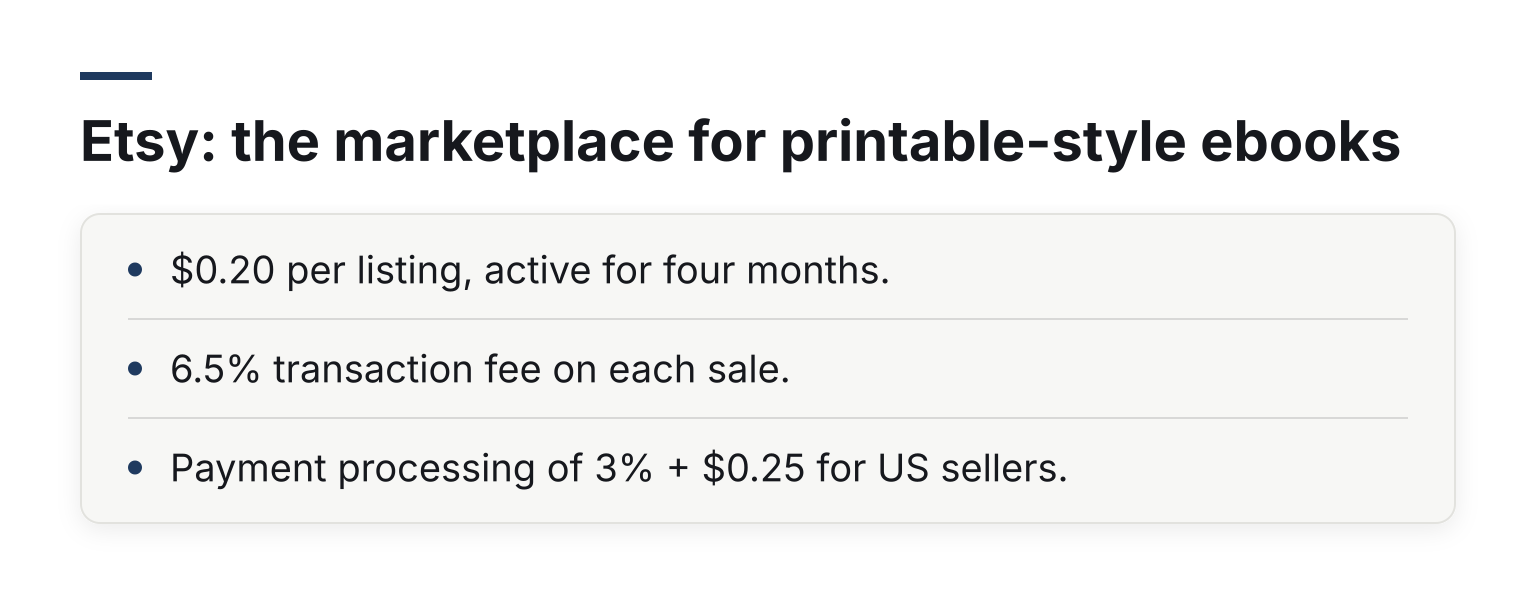
- $0.20 per listing, active for four months.
- 6.5% transaction fee on each sale.
- Payment processing of 3% + $0.25 for US sellers.
On a $9.99 sale that's about $8.59 to you, including the $0.20 listing fee. The tradeoffs: digital goods are one slice of a mostly physical marketplace, delivery is a simple instant download with no versioning or buyer emails, and Offsite Ads can take a further cut on attributed sales. Great for printable-style PDFs; wrong for a text-heavy EPUB that belongs on a bookshelf.
Sellfy: the all-in-one storefront
Sellfy is a hosted store builder for digital products, subscriptions, and merch, closer to a mini-Shopify than a checkout page. Per Sellfy's pricing page:
- Starter $29/month (billed monthly; $22/mo billed yearly), capped at $10,000 in sales per year.
- Business $79/month, up to $50,000 per year. Premium $159/month, up to $200,000 per year.
- 0% transaction fees on every plan; card processing goes to Stripe or PayPal at their usual rates.
- 14-day free trial; the checkout stays disabled until you upgrade.
On a $9.99 sale you keep about $9.40, same as Swipefast before the monthly fee. The tradeoff: Sellfy is a full store with email marketing and upsells on higher plans, but the upselling features are not on the Starter plan, and the yearly sales caps mean the plan you need changes as you grow. Choose it if you want a whole branded storefront; choose a checkout tool if you mostly want a great payment page embedded in your own funnel.
How to choose: five rules that beat fee comparisons
- No audience yet? Start where the readers are. KDP (for books people read straight through) or Etsy (for printables and workbooks). Their fees are the cost of borrowable traffic.
- Audience of 500+ or a paid channel? Go direct. The margin gap pays for the tool: at $9.99, roughly $9.40 on a 0%-fee checkout versus $7.90 on Gumroad is over $1.50 per sale, forever.
- Price above $10? Stores with royalty bands penalize high ebook prices. Direct selling has no ceiling, and payment plans make bigger bundles viable.
- Want the buyer relationship? Only direct selling gives you the buyer's email. Stores keep it. That email is what makes your next launch cheap.
- Exclusivity check. KDP Select pays for reach with exclusivity. Apple Books and Kobo never ask for it. Direct selling never asks for it. If you're not sure, stay non-exclusive and run both.
A common pattern that works: keep the ebook on KDP and the wide stores for discovery, and sell the same audience a bundle, workbook, or upgraded edition direct from your own checkout.
Ebook-selling questions, answered
Is KDP Select worth the exclusivity?
For a fiction author with no audience, often yes: the subscription reach and page reads can outweigh giving Amazon 90-day exclusivity on the Kindle file. For anyone selling a workbook or business ebook direct, no: it would block exactly the sales that pay best. Print, audio, and video formats can stay on sale elsewhere either way.
Which platform is best for a first-time ebook seller?
If nobody knows you yet, sell where readers already shop: KDP for a book people read straight through, Etsy for printables and workbooks. If you already have a newsletter or a following, a direct checkout keeps more per sale and gives you the buyer's email.
What fees will I actually pay on a $9.99 ebook?
Between roughly $0.59 per sale (a 0%-fee checkout plus standard Stripe processing) and about $2.09 (Gumroad direct), with marketplaces like Etsy and stores like KDP in between on different fee shapes. Use the checkout fee calculator with your real price and volume to see the monthly number.
Ready to try the direct route?
If you already have readers coming to your site, Swipefast gets a branded ebook checkout live in an afternoon: connect your own Stripe or PayPal, set instant delivery, and keep 0% of each sale. You can start a 7-day free trial and see what a sale looks like before paying anything monthly.
Questions people ask before choosing
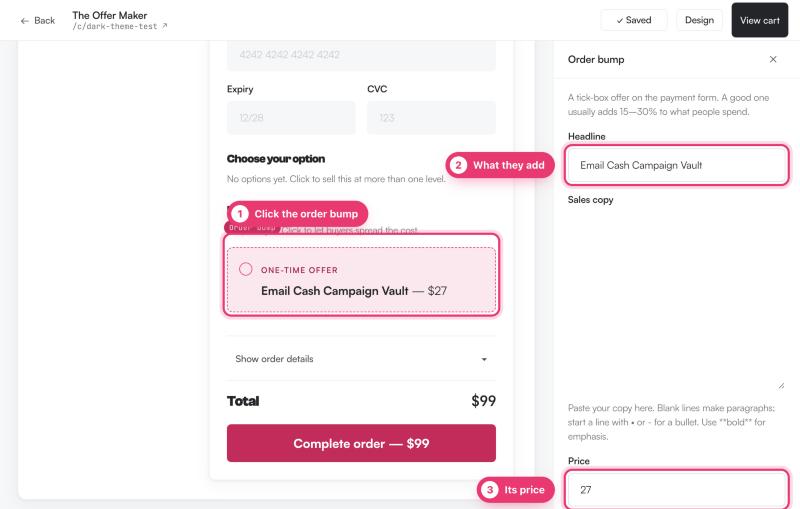
Can I add more than one order bump?
Yes. Every plan has unlimited order bumps, and each checkout can show several.
Does the bump charge the card again?
No. The bump is added to the same payment, so the buyer pays once.