Best digital products to sell in 2026 | Swipefast
Nine proven digital product types compared on build effort, realistic prices, and who each suits, plus the checkout features each one needs to sell well.
 Jacob PegsFounder of Swipefast
Summary of the Article
The best digital products to sell in 2026 fall into nine proven types, and every one has a tradeoff: the ones that pay most per sale demand the most from you. Pick the type that matches your skills and your audience, then set up a checkout that fits how that product sells.
- Online courses: the highest price ceiling ($97 to $997), but 40 to 120 hours of work, and you need a way to reach buyers.
- Paid coaching and consulting calls: premium pricing ($100 to $500+ per session is common), but you are still trading time for money.
- Paid memberships and communities: recurring revenue every month, but the work never really stops and churn is real.
- Paid newsletters: recurring revenue with lighter delivery than a community, but you must publish on schedule and earn reader trust first.
- Ebooks and paid PDF guides: the fastest first product ($9 to $49), low risk, low price.
- Templates (Notion, Canva, spreadsheets): build in days ($5 to $50), crowded, so a specific niche wins.
- Printables and digital planners: cheap to make, sold in volume, but you depend on a marketplace to get found.
- Lightroom presets and design assets: easy for designers and photographers, price pressure from free alternatives.
- AI prompt libraries and prompt packs: a real new category, but crowded and easy for buyers to copy.
If you want the definitions before the picks, the beginner's guide to what a digital product is covers that first, then come back here to choose a type.
What pays most, and why
A direct answer before the list: the digital products that pay most are online courses, paid coaching, and recurring products like memberships and paid newsletters. They command the highest prices because they promise a transformation (a skill learned, a business improved, an ongoing connection) rather than just information. A spreadsheet template solves one small job. A course changes how someone does their job.
The catch is effort. Courses take weeks or months to build, coaching sells your calendar, and memberships need fresh content every month. Low-ticket products like templates and ebooks flip the tradeoff: little effort, small revenue per buyer, and you need volume or smart upsells to make real money.
That is the lens for the rest of this list: what it costs to build, what it realistically sells for, who it suits, and what kind of checkout it needs.
Online courses: the highest ceiling, the highest effort
An online course is still the best-known answer to which digital products sell well. Mini-courses (an hour or two of video) typically sell in the $50 to $200 range, while flagship courses with coaching support or certification reach $500 to $997 and beyond. Several independent reviews of the category point to that same spread, so treat it as a fair ballpark rather than a rule.
What it really takes:
- A first version usually needs 40 to 120 hours: recording, editing, worksheets, and structure.
- Distribution matters more than production quality. A course with no audience behind it usually sells nothing at launch.
- Buyers expect to reach an outcome, so the course needs a clear before-and-after promise.
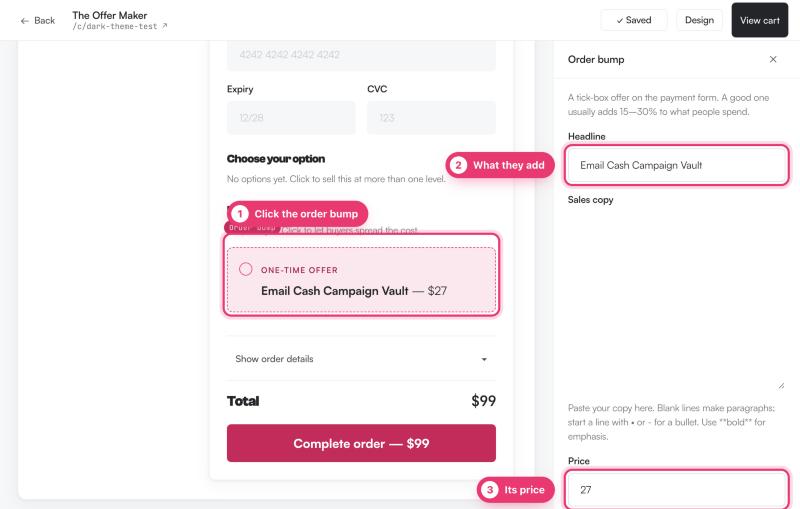
At checkout, courses are where order bumps and one-click upsells earn their keep: a workbook PDF as a bump, a group-coaching upgrade as an upsell. On our own checkouts, order bumps converted at 41% and 27% on real traffic, which is why course sellers care about them.
Paid coaching, calls, and consulting: premium price, sold time
Coaching and consulting are among the most profitable digital products per sale because the price is anchored to a result. Packages commonly run from a few hundred dollars to thousands. The tradeoff is blunt: you are still selling your time, so your income has a ceiling unless you productize the offer (fixed-scope packages, recorded material between calls, group formats).
What it really takes:
- A clear package: who it is for, what changes, how many sessions.
- A way for buyers to book time. A checkout that lets them pick a slot while they pay removes the back-and-forth email stage.
- Payment plans. A $1,800 program sells far better as three payments of $600 than as one scary charge.
This type suits coaches, consultants, and freelancers who already talk to buyers. It is the least passive of the list, but often the fastest to first revenue.
Paid memberships and communities: recurring revenue, recurring work
Memberships and paid communities are the classic digital products for passive income framing, and they are partly right: revenue recurs every month. Typical prices sit around $10 to $50 per month in most niches. The reality check is churn. If 5 to 10% of members leave every month, you have to keep recruiting just to stand still.
What it really takes:
- A reason to stay: live calls, new material, or a community people like being in.
- Ongoing work every single month. The content treadmill is the real cost.
- A subscription-capable checkout with card payments, dunning handling, and a way to see where revenue leaks.
Memberships suit creators who already produce content and can make some of it members-only. They pair well with a lower-priced product that feeds new members in.
Paid newsletters: recurring revenue with a lighter footprint
A paid newsletter sits between an ebook and a membership. Readers pay a subscription for posts that non-payers never see, and you deliver value with writing rather than calls, videos, or community management. Substack's own guidance for going paid sets a $5 monthly minimum and reports that writers in eight of its ten most popular categories price at $5 a month, with crypto and finance newsletters usually higher.
What it really takes:
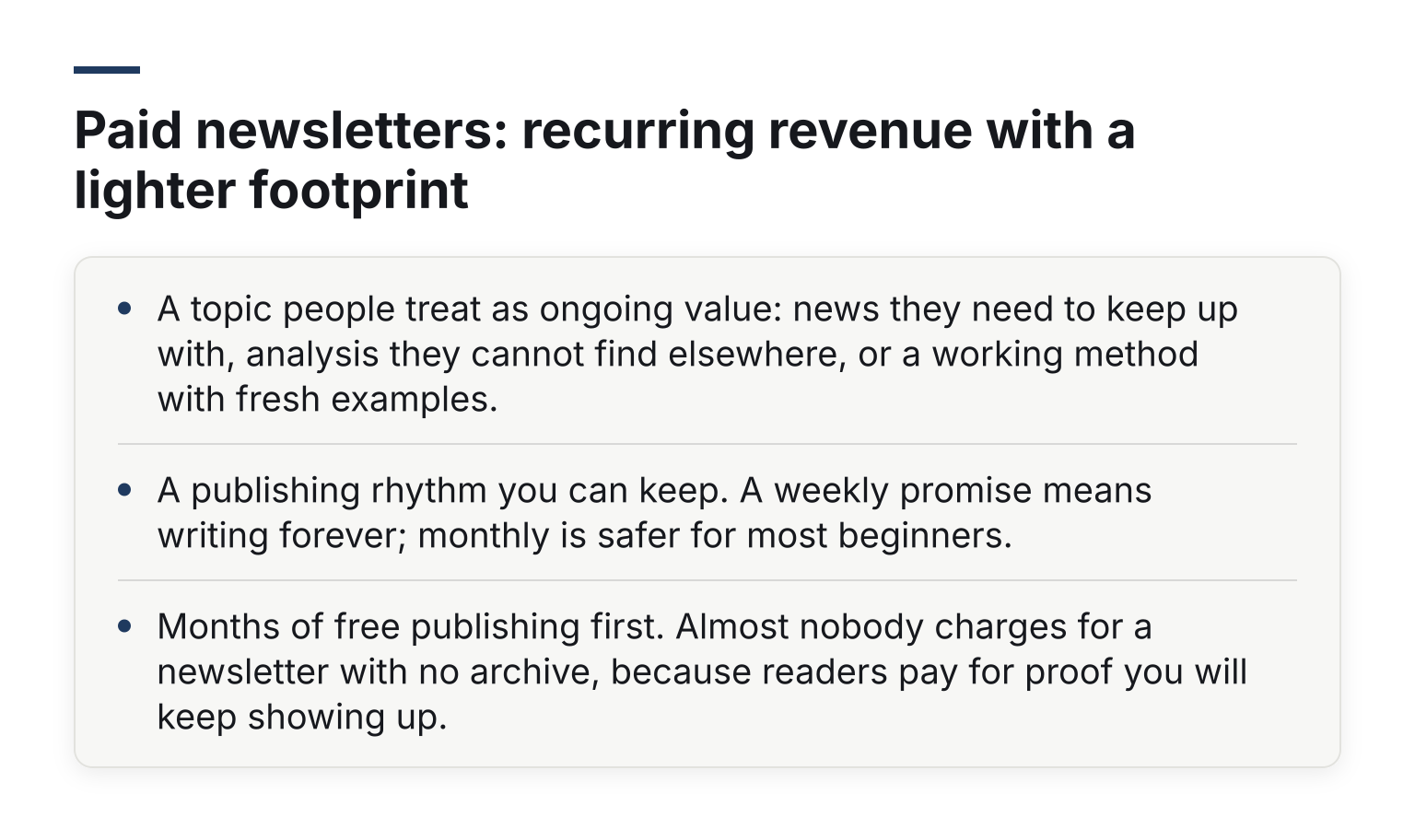
- A topic people treat as ongoing value: news they need to keep up with, analysis they cannot find elsewhere, or a working method with fresh examples.
- A publishing rhythm you can keep. A weekly promise means writing forever; monthly is safer for most beginners.
- Months of free publishing first. Almost nobody charges for a newsletter with no archive, because readers pay for proof you will keep showing up.
The tradeoff is slower start-up than a template and slower payoff than an ebook. It suits writers who already publish regularly and want recurring revenue without hosting a community. If the reader demand for your topic is one-time rather than ongoing, an ebook or course serves it better.
Ebooks and paid PDF guides: the fastest first product
If you want to sell something this month, write an ebook or a paid guide. Prices typically run $9 to $49, and the build is measured in days or a couple of weekends, not months. Risk is low: if nobody buys it, you learned how to sell and lost little.
The tradeoff is that ebooks rarely carry a business on their own. They work best as a first rung: a cheap purchase that proves buyers exist and that can upsell into a course or membership. If your guide covers a process people follow, a template or spreadsheet pack makes a natural bump at checkout.
Templates: Notion setups, Canva packs, and spreadsheets
Templates are the best low-effort product for people who are already good at a tool. A spreadsheet that automates a boring job, a Notion workspace for a specific workflow, or a Canva pack for a specific profession. Prices across marketplaces typically run $5 to $50.
The honest problem is crowding. Generic templates compete with free ones. What still sells is specificity: a budget tracker for freelancers, not a budget tracker. If you can name the buyer in one sentence, the template has a market. Templates also suit upsells well: a starter template at $19 with a full system at $49 as the upsell.
Printables and digital planners: a volume play on a marketplace
Printables (planners, wall art, worksheets, checklists) sell at $3 to $15 each. Almost nobody gets rich from one; the model works when a shop has dozens or hundreds of listings and a marketplace delivers the buyers. Etsy is the usual home, though sellers also bundle printables into bigger offers on their own checkouts.
What it really takes:
- Volume and variety. One listing is a lottery ticket; fifty is a store.
- Research skills: reading marketplace search results and reviews to spot gaps.
- Tolerance for a marketplace's fees, rules, and competition.
This type suits designers and organized creatives who enjoy making many small things. It is the least controllable option here, but the easiest to start with zero audience.
Presets and design assets: easy for makers, crowded shelves
Lightroom presets, LUTs, fonts, icon sets, and stock graphics are digital products that sell well for people who already make them for themselves. Prices usually sit between $10 and $60 depending on pack size. Because many free alternatives exist, the sale depends on proof: a photographer's own editing style shown in real photos sells the preset pack, not the product page.
The tradeoff is a crowded, price-sensitive market with little recurring value. It works best as a secondary product alongside a course or membership for the same audience.
AI prompt libraries and other new low-effort products
Prompt packs and AI workflow guides are a genuinely new product type, and some sellers do make money with them. But this category has the shortest shelf life of anything here. Buyers know they can write their own prompts, good models get better at asking clarifying questions, and free libraries are everywhere.
A prompt pack sells only when it is tied to a specific job with a specific buyer, for example a pack of vetted prompts for writing real-estate listing descriptions. Treat this type as an experiment with low stakes, not a business plan.
How to check demand before you build anything
The biggest failure mode in selling digital products is not the product. It is building something nobody wants. Before you spend 80 hours on a course, run these checks:
- Search the marketplaces. Type your idea into Etsy, the Gumroad Discover feed, or Amazon. If similar products have reviews, buyers exist. If pages have none, be suspicious.
- Check search volume. Google's Keyword Planner shows monthly search estimates for free (it requires a Google Ads account with billing information set up to access full features). A few hundred searches for your topic with buying language nearby is a good sign.
- Pre-sell. The strongest evidence is money. Offer the product at a launch discount, deliver in two weeks, and refund anyone who asks if you cancel. Ten pre-orders tell you more than ten hours of guessing.
- Watch the questions people ask. Forum threads, Facebook groups, and comment sections are a demand map written by the market itself.
If the checks all come back quiet, change the niche or the angle before you build, not after.
What each product type needs from a checkout
This is the part most idea lists skip: each product type monetizes differently, so the checkout has to support different things.
| Product type | Typical price | Checkout must support |
|---|---|---|
| Courses | $97 to $997 | Order bumps, one-click upsells, downsells, payment plans |
| Coaching and calls | $100 to $500+ per session | Payment plans, calendar booking at checkout |
| Memberships | $10 to $50 per month | Subscriptions, card payments, churn reporting |
| Paid newsletters | $5 to $15 per month | Subscriptions, recurring billing, easy cancellation |
| Ebooks and guides | $9 to $49 | Instant delivery of the file, receipts |
| Templates | $5 to $50 | Instant delivery, upsell to a bigger pack |
| Printables | $3 to $15 | Instant delivery, high-volume small orders |
| Presets and assets | $10 to $60 | Instant delivery, license or terms at checkout |
| Prompt packs | $10 to $50 | Instant delivery, clear licensing terms |
Two cross-cutting details matter for almost every type:
- Upsells and bumps raise average order value on every plan level that matters, so do not pick a checkout tool that gates them behind a top tier. If you want to compare tools on this, the roundup of order bump and one-click upsell software for coaches covers the field.
- If you sell to buyers in the EU, digital VAT rules can apply. The European Commission's One Stop Shop (OSS) lets you declare VAT across the EU through one registration, and many sellers handle the calculation at checkout with tools like Stripe Tax. Our guide to Stripe Tax, VAT and reverse charge walks through how this works in practice.
This is where it is fair to mention what we know best. Swipefast is checkout software for exactly these sellers: branded checkout pages, payment plans, subscriptions, order bumps, one-click upsells and downsells, and reporting, with bumps and upsells included on every plan starting at $29 a month. Payments go to your own Stripe, PayPal, or Lemon Squeezy account, so the money and the data stay yours. It was built with AI tools in mind, so you can set up or edit a checkout with Claude or ChatGPT. If you have picked your product type, the practical next step is the checkout page checklist for digital products, which walks through what a page needs before launch.
The honest tradeoffs nobody puts in the hype posts
Passive income from digital products is real, but the word passive does about 30% of the work. Every type on this list carries ongoing costs:
- Support and refunds. Questions, login issues, and refund requests arrive even when sales are slow. Most sellers handle them alone.
- Updates. Software templates break, courses age, prompt packs fall behind new models. Buyers who paid expect current versions.
- Traffic. Nothing sells itself. You need an audience, content, ads, or marketplace search to bring buyers to the page, forever.
The upside is equally real: build once, sell repeatedly, no inventory, no shipping, and margins that physical businesses cannot match. Just budget for the work, not just the revenue.
Common questions
What are the most profitable digital products?
Per sale, high-ticket courses, coaching packages, and consulting offers. Per hour of your time over years, courses, memberships, and paid newsletters tend to win because the work is front-loaded and the sale repeats. Per week of effort, a niche-specific template is often the most profitable thing a solo creator can build.
What digital product can I build fastest?
A paid PDF guide, a single niche template, or a printable set. Each can go from idea to live checkout in a week or two. They are also the lowest-risk way to learn selling before committing to a course.
Do I need an audience first?
Not strictly, but it helps. Marketplace-dependent products like printables and templates can sell with zero audience if the listing is good. High-ticket courses and coaching are very hard to sell cold; a small engaged audience beats a large passive one. Paid newsletters are the exception that cuts both ways: you need an audience before anyone pays, but the audience itself builds the product.
How much should I charge?
Start inside the ranges above for your type, then test upward. Price is the fastest lever in digital products: doubling the price halves the sales you need for the same revenue. If two versions come to mind (a mini and a flagship), sell both and let an upsell offer the bigger one.
What should I sell in 2026 if I am starting from zero?
Pick the type that matches your existing skill: designers do templates or presets, writers do guides or paid newsletters, teachers do mini-courses, coaches package their method into paid calls. Then validate demand with the checks above before you build.
Next step: pick one, validate it, price it
A short decision path: if you have an audience and expertise, a mini-course or a coaching package is the best first product. If you have a craft but no audience, a niche template or printable set. If you write easily and can commit to a schedule, a paid newsletter. If you have neither yet, a cheap guide to learn the whole selling loop is a legitimate first move.
Whatever you pick, it needs a checkout that supports how that product sells, with instant delivery, bumps, upsells, payment plans, or subscriptions as your type requires. Swipefast covers all of it from the $29 Starter plan, and you can start a 7-day free trial to set up your first checkout and see the whole flow before anything goes live.
Questions people ask before choosing
Can I add more than one order bump?
Yes. Every plan has unlimited order bumps, and each checkout can show several.
Does the bump charge the card again?
No. The bump is added to the same payment, so the buyer pays once.